





Your saved Reels, organized for you.
No folders. No sorting. No work on your part. Stasht understands what's in every Reel you save and organizes it the way you already think about it.
Free on iOS, Android, and desktop.
Instagram saves stay on Instagram
They don't tell you what's inside, they don't organize themselves, and they don't come back to you. A saved Reel is a thumbnail in a grid, and the recipe inside it might as well be invisible.
Collections help until they don't. Nobody opens an app to file saves into folders, and the folder you need is never the one you made.
Every detail, pulled out
We extract places, events, links, and prices automatically. A recipe Reel becomes a recipe. A restaurant Reel becomes a place on your map. A workout Reel is ready for the gym.
Tags, notes, and search
Find a Reel by the place, date, or word you remember, or describe something you saw in it. Notes and tags are optional. Add one when you want to remember why you stashed it.
Bring it all together
Instagram saves, TikTok collections, X bookmarks, YouTube links, screenshots. Everything comes into one place, organized the way you already think about it.
Import what you already have
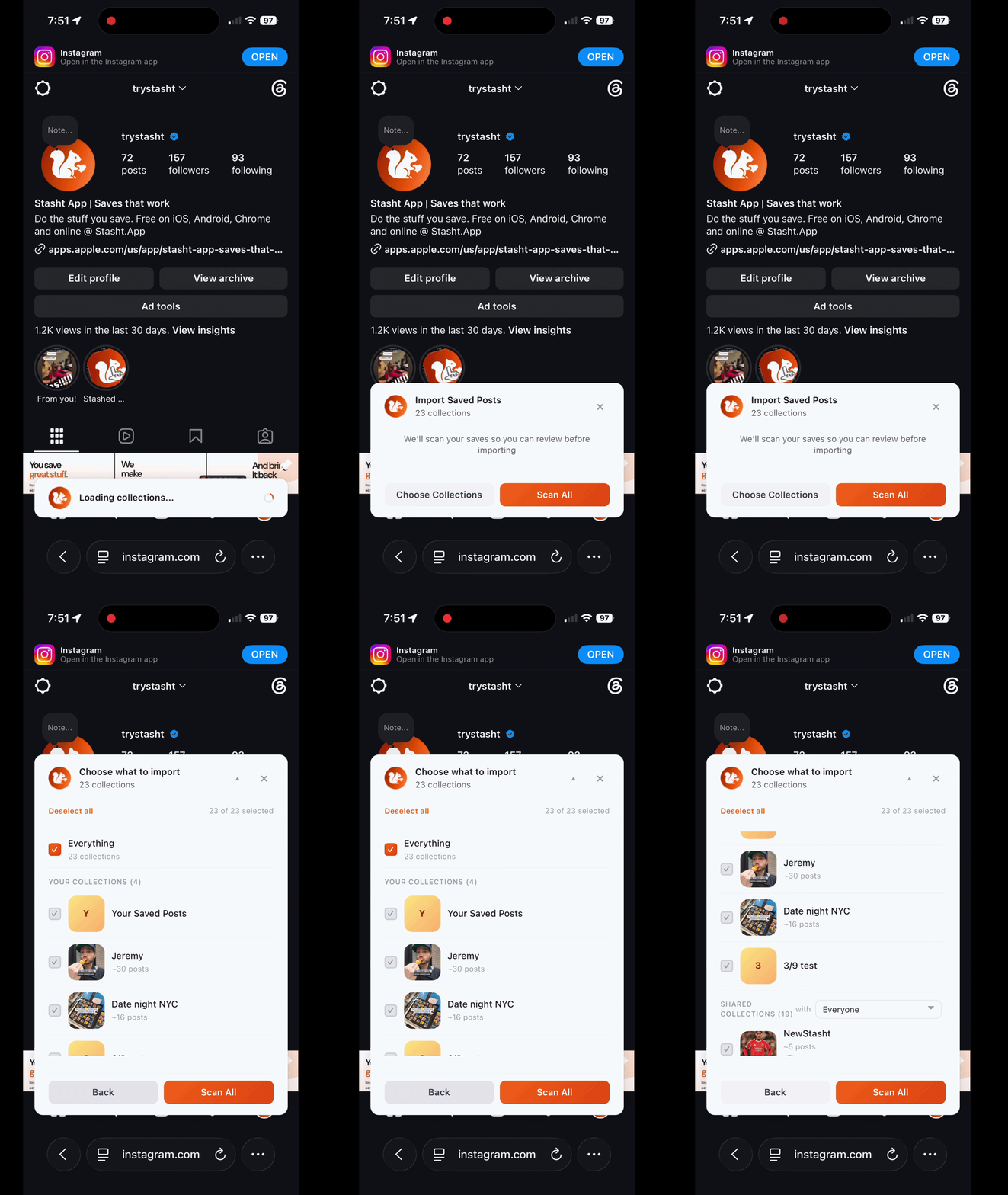
Stasht's browser extensions import existing saves from Instagram, TikTok, Reddit, YouTube, Pinterest, and more. Chrome handles desktop import. Safari works on Mac, iPhone, and iPad: log into supported sites in Safari to bulk import, or stash pages and posts as you browse.
Bulk import with Chrome or Safari.
Bulk import with Chrome on desktop or Safari on Mac, iPhone, and iPad. In Safari, log into the supported sites you want to import from, then bring those saves into Stasht.
How it works
Stash it
Share a Reel to Stasht from the share sheet, or bulk import with Chrome on desktop or Safari on Mac, iPhone, and iPad.
We do the rest
Stasht can pick up details from the post's text, what's said, and what's shown on screen, so it's easier to find later.
Find it later
Search by what you remember, browse by category, or let the right save find you at the right time.
Frequently Asked Questions
Can Instagram organize saved Reels into folders?
Can I import the Reels I've already saved?
What happens if a Reel gets taken down?
Does this work for TikToks and YouTube too?
Is Stasht free?
Keep reading
Start Making Your Saves Worth It
Free on iOS, Android, and desktop.