




Events are the worst kind of social save because they expire. A restaurant video can wait. A gift idea can wait. A pop-up, concert, ticket drop, art show, market, workshop, or launch cannot. Save it and forget it for two weeks, and the event is not "saved." It is gone.
The problem is that social apps treat events like every other post: one more thumbnail in a list. But event saves have time attached. They need to come back before the date, not whenever you happen to scroll your saved folder.
What goes wrong with event saves
Most missed events come from one of these failures:
- The date was in the video, not the caption.
- The ticket link was in a creator bio or story, not the saved post.
- The event had multiple dates, and you saved the wrong one mentally.
- You remembered the event, but not the venue.
- The post disappeared after the event, so the details disappeared too.
- You saved it in Instagram and then planned your week somewhere else.
That last point matters. You do not live inside your saved Instagram folder. You live in your calendar, reminders, texts, maps, and search. Event saves need to leave the feed.
Rule 1: Capture the source immediately
When you see an event you might actually attend, save the source before you do anything else. That can be the Instagram post, TikTok, event page, newsletter link, Facebook event, venue page, or screenshot.
Do not trust yourself to search for it later. Social search is poor, creator names blur together, and event posts often use vague captions like "this Friday" or "next weekend."
With Stasht, the workflow is to share the event post into the event-saving flow. The source stays attached so you can reopen the original context later.
Rule 2: Extract the date into your actual planning system
If an event has a date, it should not live only as a saved post. It needs one of three things:
- a calendar entry
- a reminder
- a short note with the date in a searchable system
The calendar is best when you have decided to go. A reminder is best when you have not decided yet but need to act: buy tickets, book a table, check the lineup, ask a friend, or see if you are free.
Stasht is built around this difference. Some saves belong on your map. Event saves belong closer to your calendar and reminders.
Rule 3: Keep venue and action separate
An event save usually contains two different jobs:
- Where is it? venue, neighborhood, address, map.
- What do I need to do? buy tickets, RSVP, show up early, book, bring cash, check weather.
Do not bury both in a collection title. Add a short note:
- "tickets Friday 10 a.m."
- "ask Jess"
- "near Union Square"
- "free RSVP"
- "outdoor - check rain"
For New Jersey pumpkin farms, keep the address separate from notes about admission, pumpkin purchases and ticket ages; Happy Day's cash-only pumpkin fields deserve their own reminder.
Small notes beat perfect organization. The note is just enough to make the save actionable later.
Rule 4: Review events once a week
If you save a lot of events, build a tiny weekly review:
- Search or filter for event saves.
- Delete things that passed or no longer matter.
- Add reminders for anything still possible.
- Move committed plans to your calendar.
This takes five minutes. It prevents the "I knew about that" feeling that arrives two days after the event.
Event saves worth treating differently
Use a stronger system for:
- concerts and shows
- limited pop-ups
- markets and fairs
- ticket drops
- local classes and workshops
- restaurant events
- product launches
- museum nights
- festivals
- anything with "one night only" in the post
For low-stakes inspiration, a normal save is fine. For anything with a date, a normal save is not enough.
Common questions
Can I save events from Instagram and TikTok in Stasht? Yes. You can save event posts, videos, screenshots, and links from Instagram, TikTok, Facebook, X, YouTube, newsletters, and the web.
Does Stasht automatically add every event to my calendar? No. That would be noisy. Stasht keeps event saves searchable and calendar-aware, and lets you use reminders and calendar workflows when a date matters.
What if the date is only spoken in the video? That is exactly where a normal bookmark is weak. Stasht reads available signals like captions, text on screen, web metadata, and speech in videos to make saves more searchable and useful.
Should I use a calendar app instead? Use your calendar once you are committed. Use Stasht for the earlier step: capturing the event from social media and keeping the source, date, venue, notes, and reminder context together.
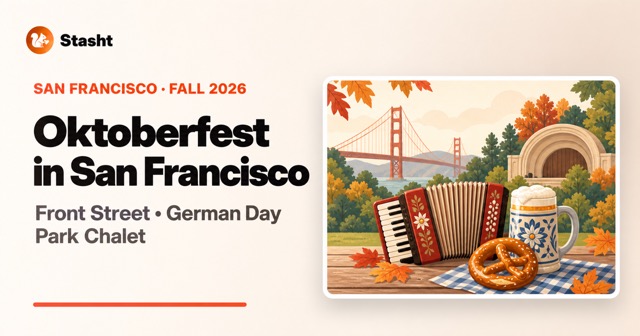
For the broader workflow, start with save events from Instagram and TikTok. For a dated example, the San Francisco Oktoberfest 2026 guide separates event dates, admission and age rules, including free RSVP and ticketed options. If you save places as often as events, read how to turn travel saves into a trip plan.