 Stasht
Screenshots that work.
You screenshot the stuff a link can't hold. Stasht reads what's on screen and brings it back when it matters, right next to your other saves.


Free on iOS, Android, and desktop.
A hidden cafe, pinned on your map
When a post includes an address, Stasht puts it on your map. This graffiti-alley cafe lands at 3 Freeman Alley on the Lower East Side, right next to other NYC finds.

When there's no link, you screenshot it
A Story that disappears tomorrow. A restaurant name in a group chat. A concert flyer, a wine label, a slide from the middle of a video. When there's nothing to bookmark, you grab the screen. Good instinct.
Then it lands in your camera roll between receipts and memes, nowhere near your Reels and TikToks. It's not your fault. The tools just weren't built to do anything with what you saved.
Every detail, pulled out
Stasht reads the text on screen and the visual context around it: names, addresses, dates, book and product titles, ingredients. Your screenshot becomes a searchable stash with the good stuff out in the open.
Places on your map, dates on your calendar
When a screenshot points to a specific place, it can appear on your personal map. Flyers with dates can connect to your calendar, including Google Calendar sync. Gift ideas can get a reminder.
One search for everything
Screenshots live right next to your Reels, TikToks, X bookmarks, and web links. Search once and pull up the coffee shop for a friend, the font you loved, or that recipe card from last spring.
Private by default, shared by choice
Stasht never scans your photo library. Only the screenshots you choose to share or upload come in. If one doesn't have enough to pin down a place or date, it still stays searchable with your notes, tags, and the text on it.
Real saves, real details
Two public stashes that show what happens after the save: a visual reference you can find by style, and a cafe pinned to the map.
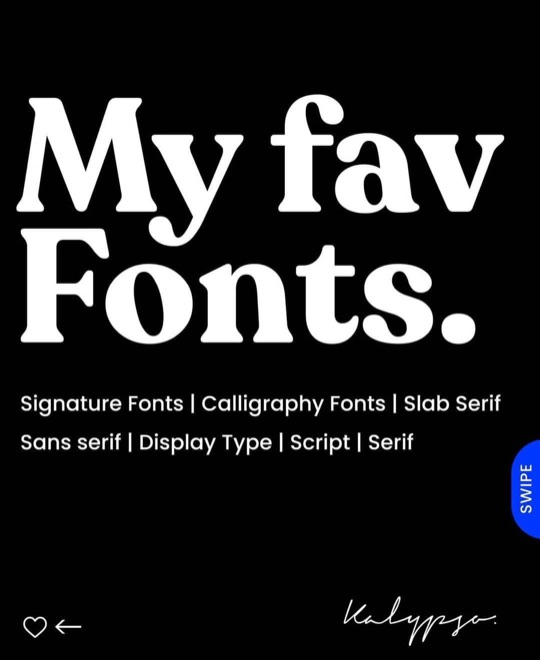
Font references for logos and display type
A sheet of display type references, searchable by style and the text on the image.
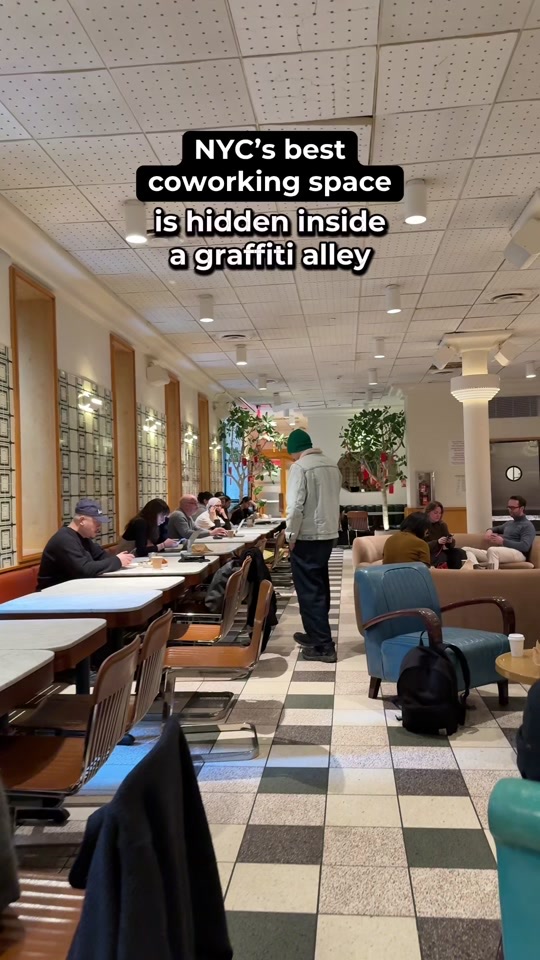
Untitled Hotel Cafe On Freeman Alley
A Lower East Side cafe tucked on Freeman Alley, pinned to the map for the next time you're in the neighborhood.
How it works
Share the screenshot
Send it from the iPhone screenshot preview, Apple Photos, or the Android share sheet. On stasht.app, upload up to 10 at once.
We read what's on it
Text, places, dates, and titles get pulled out and organized automatically. No folders. No sorting.
It comes back when it matters
On your map when you're nearby, on your calendar before the date, or in search the moment you need it.
Frequently Asked Questions
Can I save Instagram Story screenshots to Stasht?
Does Stasht scan my camera roll?
How do I add screenshots on each device?
What if a screenshot doesn't show a clear place or date?
Do screenshots show up with my other saves?
Is Stasht free?
Keep reading
Get Stasht
Free on iOS, Android, and desktop.